Knowing that your loved ones are safe is one of the most important concerns in everyday life. Whether you have children who travel to school independently, elderly parents who live alone, a family member who frequently travels, or pets that enjoy exploring outdoors, being able to check their whereabouts can provide valuable peace of mind.
Fortunately, modern technology offers several ways to improve personal safety and location awareness. From smartphone location-sharing applications and Bluetooth tracking tags to dedicated GPS tracking devices, there are solutions for different situations, lifestyles, and budgets.

However, choosing the right solution is not always straightforward. Some tracking technologies depend on nearby smartphones, while others use their own GPS and cellular connections. Certain devices are designed for finding lost belongings, whereas others are better suited to monitoring the location of family members who may not always carry a smartphone.
If you are wondering how to track a loved one, this guide explores practical solutions for different everyday situations. It also explains how to keep elderly parents safe, how to keep track of your child, how to find a lost dog, and how to protect valuable belongings using appropriate tracking technology.
The goal is not simply to find a tracking device but to understand which safety solution makes the most sense for your particular needs.

1. Why Tracking Solutions Matter for Everyday Safety
Location tracking has become an increasingly useful part of modern family safety. People travel more frequently, children become independent at younger ages, and elderly family members may need additional support when moving around independently.
A reliable location-sharing or tracking solution can help families:
-
Check whether a family member has arrived at their destination.
-
Receive notifications when someone enters or leaves a designated area.
-
Locate misplaced or lost belongings.
-
Respond more quickly when someone needs assistance.
-
Review recent location information when something unexpected happens.
-
Coordinate family activities without constantly making phone calls.
Different situations require different technologies. For example, a smartphone application may be sufficient for an adult who regularly carries a mobile phone. However, a dedicated GPS tracker may be more practical for a young child, an elderly person who does not use a smartphone, or a pet.
Before choosing a product, consider who or what you want to track, how frequently location information needs to be updated, and whether the device will operate in one country or across multiple regions.
2. How to Track a Loved One: 5 Practical Tracking Solutions

When people search for how to track a loved one, they are usually looking for a convenient way to stay informed without constantly calling or messaging family members.
There are several options worth considering.
2.1. Use Smartphone Location-Sharing Applications
One of the simplest solutions is to use an application that allows family members to share their locations with one another.
Popular options include:
-
Apple Find My.
-
Google Maps Location Sharing.
-
Life360.
-
Family360.
-
OurSphere.
These applications allow participating family members to share their locations through their smartphones.
For example, parents can check whether their adult child has arrived at university, or family members can coordinate their locations during a holiday.
Advantages:
-
Many applications offer free location-sharing features.
-
No additional tracking hardware may be necessary.
-
Convenient for people who already carry smartphones.
-
Some applications support location alerts and location history.
Limitations:
-
The person being tracked generally needs a compatible smartphone.
-
Location updates depend on phone battery, connectivity, permissions, and application settings.
-
A smartphone may be forgotten, switched off, or unavailable.
-
Some advanced features require paid subscriptions.
For families whose members regularly use smartphones, this is often the easiest place to start.
However, if you need to track someone who does not own or regularly carry a smartphone, a dedicated GPS tracker may offer a more practical alternative.
2.2. Choose a Dedicated GPS Tracking Device

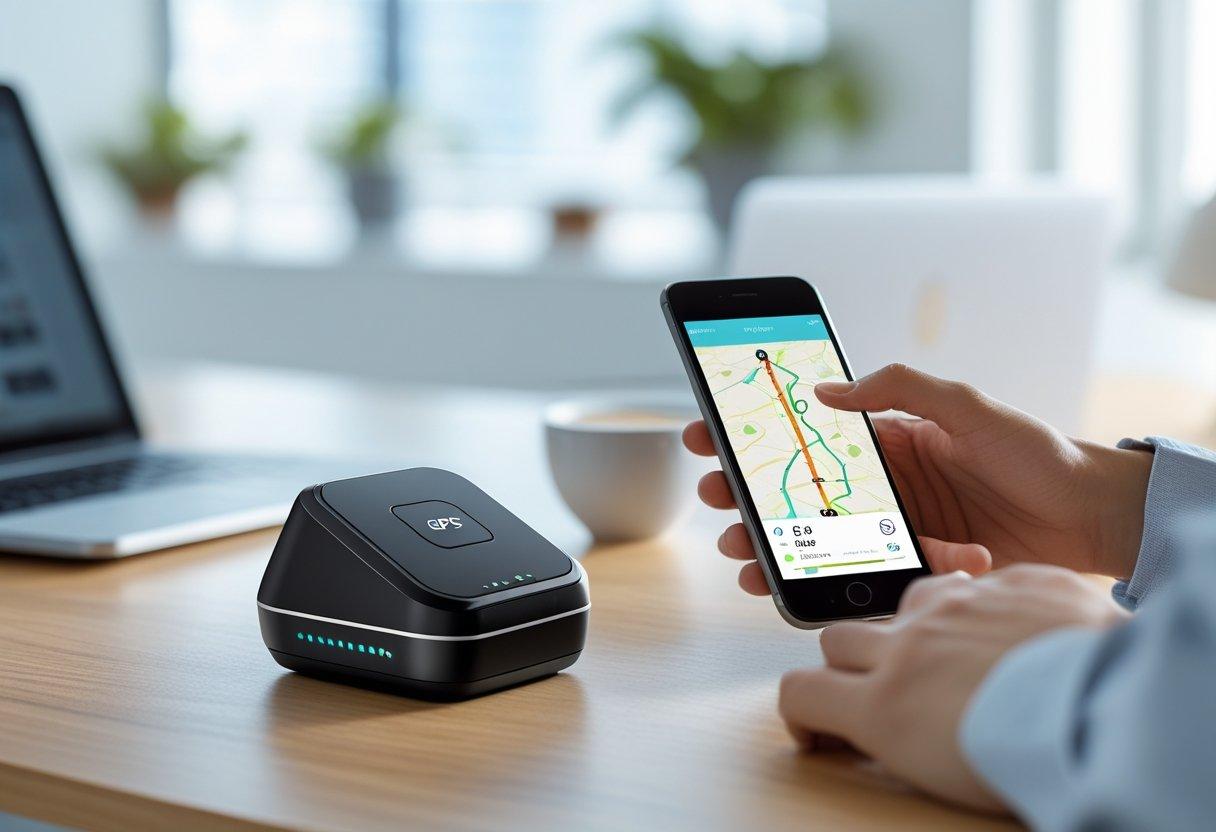
A dedicated GPS tracker is designed to report its location independently rather than relying entirely on the tracked person’s smartphone.
Many modern devices include an integrated SIM card that connects to supported cellular networks. They combine GPS, Wi-Fi positioning, and cellular positioning to provide location information through a companion application.
This type of device can be particularly useful for:
-
Children who do not own smartphones.
-
Elderly parents who prefer simple devices.
-
People who need additional assistance when traveling.
-
Family members who may forget to carry their phones.
-
Pets and valuable belongings.
When evaluating a GPS tracker, consider the following features:
Independent connectivity: A tracker with its own cellular connection does not need another person’s smartphone to be nearby.
Location updates: Check how frequently the device reports its location. Some devices update every few minutes, while battery-saving modes may report less frequently.
Geofencing: This feature allows you to create virtual boundaries around places such as home, school, or work. Notifications can be sent when the tracker enters or leaves these areas.
Battery life: A device that requires charging every day may not be convenient for someone who needs continuous monitoring.
Emergency alerts: Certain trackers include an SOS button or automatic alerts that can help caregivers respond when assistance is needed.
One product worth considering in this category is Tack GPS, particularly its Tack GPS Plus model. It combines an independent GPS connection, a rechargeable battery rated for up to 30 days in Standard Mode, and family location monitoring through the OurSphere application.
The Plus version also offers Fall Detection and an Indoor Elevation Finder, making it relevant to some family safety situations. These features are discussed in more detail later in this guide.
2.3. Set Up Geofencing and Safe Zones

Geofencing is another practical way to improve family safety.
Instead of constantly checking someone’s location, you create virtual boundaries around important places.
For example:
-
Home.
-
School.
-
A workplace.
-
A relative’s house.
-
A regular meeting location.
When a connected device enters or leaves a designated area, the application can send a notification.
This can be especially useful for parents who want to know when their children arrive at school or return home.
Geofencing can also help caregivers monitor whether an elderly family member has left a familiar location unexpectedly.
When choosing a tracking application, look for customizable zones, reliable notifications, and the ability to create multiple locations.
Remember that geofencing notifications depend on the device reporting its location and maintaining a working connection. They should be treated as an additional safety feature rather than a guaranteed emergency warning system.
2.4. Use Bluetooth Trackers for Everyday Belongings

Bluetooth tracking tags are popular because they are small, inexpensive, and easy to attach to everyday objects.
Examples include:
-
Apple AirTag.
-
Tile Mate.
-
Samsung Galaxy SmartTag2.
These products are designed primarily for locating belongings such as keys, wallets, backpacks, and luggage.
However, Bluetooth trackers work differently from dedicated GPS devices.
Most Bluetooth tags rely on nearby compatible smartphones or devices within their respective networks to help report a tag’s location.
This means their usefulness can depend on the number of compatible devices nearby.
Bluetooth trackers are suitable for:
-
Finding misplaced keys.
-
Locating bags around familiar places.
-
Tracking personal accessories.
-
Finding items that are frequently misplaced.
Dedicated GPS trackers are generally more appropriate for:
-
Monitoring the location of a family member.
-
Tracking objects over longer distances.
-
Receiving scheduled location updates.
-
Monitoring movement independently of nearby smartphones.
It is important to choose the technology based on the actual problem rather than assuming that every tracking tag offers the same capabilities.
2.5. Combine Location Sharing With Emergency Communication
Tracking technology should not replace direct communication.
For family safety, it is useful to combine location sharing with simple emergency procedures.
Consider establishing:
-
Regular check-in times.
-
Emergency contacts.
-
A shared family communication group.
-
A designated meeting location.
-
Instructions for contacting local emergency services.
For children and elderly family members, make sure they understand how to ask for help when something unexpected happens.
Some GPS trackers also include an emergency alert button. When activated, the device can notify connected caregivers through its companion application.
This can provide an additional communication channel when a family member cannot easily make a phone call.
3. How to Keep Elderly Parents Safe When They Live Independently

As parents grow older, many families become concerned about their safety, particularly when they continue living independently.
An elderly parent may enjoy walking, shopping, visiting friends, or traveling alone. While independence is important, unexpected situations such as falls, disorientation, or medical emergencies can create serious concerns.
Understanding how to keep elderly parents safe involves more than simply knowing their location.
Here are several practical approaches.
3.1. Establish a Regular Check-In Routine
Regular communication is one of the easiest ways to maintain contact with elderly family members.
For example, family members can agree to:
-
Make a morning phone call.
-
Send a message after arriving somewhere.
-
Check in before bedtime.
-
Inform relatives when traveling outside their usual area.
This approach works particularly well when parents are comfortable using smartphones.
However, it may become inconvenient when family members have different schedules or live far apart.
3.2. Consider Medical Alert Systems

Medical alert devices are designed to help older adults request assistance during emergencies.
Some systems use wearable pendants or wristbands with emergency buttons. More advanced options may include fall detection and communication with monitoring services.
When comparing medical alert products, consider:
-
Whether the device works inside and outside the home.
-
Whether it requires a monthly monitoring subscription.
-
Whether it includes automatic fall detection.
-
Whether emergency contacts receive notifications.
-
Whether it is comfortable enough for everyday use.
Medical alert systems and GPS trackers serve related but different purposes. A medical alert system may focus on emergency response, while a GPS tracker focuses on location information.
Depending on an individual’s needs, using both types of technology may be appropriate.
3.3. Choose a GPS Tracker With Fall Detection
For families who want location monitoring alongside additional safety features, a GPS tracker with fall detection may be worth considering.

One option is Tack GPS Plus.
Its features include:
-
Independent GPS tracking through a built-in SIM.
-
Fall Detection notifications.
-
One-click emergency alerts.
-
Location history.
-
Safe Zone notifications.
-
Up to 30 days of battery life in Standard Mode.
The Fall Detection feature is particularly relevant for older adults who may be at risk of falling.
According to the manufacturer’s documentation, the device uses motion sensors and AI algorithms to identify potential falls and send notifications to the connected OurSphere application.
However, fall detection is not guaranteed to identify every fall, and false alerts may occur. The device must also be worn by the intended person for this feature to work as designed.
It should not be treated as a replacement for professional medical alert services or emergency response systems.
For families considering this type of device, it is worth comparing the features and ongoing subscription costs before purchasing.
Explore the Tack GPS Plus tracker: View Tack GPS Plus and available options.
3.4. Make the Home Environment Safer
Location tracking is only one part of elderly safety.
Families should also consider:
-
Installing adequate lighting in hallways.
-
Removing loose rugs and obstacles.
-
Adding grab bars in bathrooms.
-
Keeping emergency contact information accessible.
-
Ensuring frequently used items are easy to reach.
-
Reviewing medication and appointment schedules with the person and their healthcare professional.
Combining these practical changes with appropriate communication and tracking technology can create a more supportive environment.
4. How to Keep Track of Your Child When They Are Away From Home

Parents naturally want to know that their children are safe, especially when they begin traveling to school, attending extracurricular activities, or visiting friends independently.
Learning how to keep track of your child does not necessarily mean monitoring every movement. The goal is to establish reasonable safety arrangements while allowing children to develop independence.
4.1. Use Family Location-Sharing Applications
For children who already have smartphones, family location-sharing applications can provide a convenient starting point.
Apple Find My and Google Maps Location Sharing allow participating family members to share their locations.
Parents may be able to check whether their child has arrived at a destination, provided the phone is switched on, connected, and configured correctly.
However, younger children may not own smartphones, and some parents prefer not to give them expensive mobile devices at an early age.
In these situations, a dedicated GPS tracker can be an alternative.
4.2. Set Up School and Home Safe Zones

A safe zone is a virtual boundary around a location.
Parents can configure a zone around their child’s school and receive notifications when the connected device enters or leaves the area.
For example, you could establish:
-
A school arrival notification.
-
A school departure notification.
-
A home arrival notification.
-
An after-school activity location.
This approach can reduce the need to send repeated messages throughout the day.
When choosing an application, check whether it supports multiple safe zones, customizable notifications, and reliable location reporting.
4.3. Consider a GPS Tracker Designed for Children
A dedicated GPS tracker can be particularly useful when a child does not have a smartphone.
Look for a device that is:
-
Small and lightweight.
-
Easy to carry in a school bag or clothing pouch.
-
Equipped with an independent cellular connection.
-
Capable of reporting location information.
-
Compatible with a simple smartphone application.
-
Designed with a battery that lasts several days or longer.

Tack GPS and Tack GPS Plus are two options worth comparing.
Both models are designed to work with the OurSphere application, allowing family members to view device locations, create safe zones, and access location history.
The Tack GPS Plus version offers broader international coverage and additional features such as the Indoor Elevation Finder.
For children, accessories such as the Wonder Sleeve and Wonder Pin Pouch can make it easier to attach the tracker to a bag, belt, or clothing.
Before purchasing, check the supported country list, tracking intervals, and subscription requirements.
4.4. How to Know If Your Child Arrived at School
One common concern for parents is how to know if your child arrived at school without having to call them every morning.
There are several approaches:
-
Ask your child to send a quick message after arriving.
-
Use a family location-sharing application.
-
Set up a school geofence with arrival notifications.
-
Use a dedicated GPS tracker when a smartphone is not practical.
-
Agree on a backup communication method if the tracking application stops working.
The best approach depends on the child’s age, independence, and daily routine.
For example, a school arrival notification can be helpful when parents are already at work and cannot personally accompany their children.
A tracker with a built-in SIM can provide an additional option because it does not require a compatible smartphone to be physically near the child.
However, parents should explain the purpose of location sharing and establish age-appropriate privacy boundaries. Tracking technology should support trust and safety rather than replace communication.
5. How to Find a Lost Dog and Keep Pets Safe

Losing a pet can be an extremely stressful experience.
Dogs may run away after being frightened by loud noises, escape through an open gate, or wander away while exploring an unfamiliar environment.
If you are researching how to find a lost dog, preparation is often more effective than waiting until your pet disappears.
5.1. Make Sure Your Dog Has Proper Identification
Every dog should have identification that makes it easier for someone to contact the owner.
Consider using:
-
A collar with an identification tag.
-
An up-to-date microchip registration.
-
A current photograph.
-
Contact information that is easy to read.
A microchip can help identify an animal when it is found and scanned by an appropriate professional. However, it is not a live GPS tracking device.
5.2. Use a GPS Pet Tracker

A GPS tracker attached to a dog’s collar can provide location information independently of the owner’s immediate physical location.
This can be useful when pets spend time outdoors, visit parks, or travel with family members.
When choosing a GPS tracker for pets, consider:
-
Size and weight.
-
Attachment security.
-
Water and weather resistance.
-
Battery life.
-
Cellular coverage.
-
Location update frequency.
-
Monthly subscription costs.
Some Bluetooth tags may help locate a pet if a compatible smartphone passes nearby. However, they are not equivalent to independent GPS trackers.
5.3. Consider Tack GPS for Pet Location Tracking
Tack GPS is marketed for multiple tracking applications, including pets.
Its compact design makes it possible to attach the device to a pet collar using a suitable accessory.
The tracker uses its own built-in SIM and works with the OurSphere application, allowing owners to check the device’s reported location.

The Tack GPS Plus model is particularly worth considering for people who need broader international coverage.
Its main advantages include:
-
Built-in cellular connectivity.
-
GPS, Wi-Fi, and cellular positioning.
-
Up to 30 days of battery life in Standard Mode.
-
Location history.
-
Different tracking modes.
-
Coverage in more than 120 countries and regions, subject to the current coverage list.
One important consideration is that the tracker is not a purpose-built veterinary or pet-monitoring device. Make sure the attachment is secure, the weight is suitable for your animal, and the device is comfortable to wear.
See the available Tack GPS tracking options: Explore Tack GPS products.
5.4. What to Do If Your Dog Is Already Missing
If your dog has disappeared, do not rely exclusively on tracking technology.
Take practical steps immediately:
-
Search the surrounding area, especially familiar walking routes.
-
Contact nearby animal shelters and veterinary clinics.
-
Inform local community groups.
-
Share recent photographs and identifying details.
-
Contact your pet’s microchip registry.
-
Notify local animal control services where appropriate.
If your pet has a working GPS tracker, check its latest reported location and movement history. Remember that the displayed location may not be current if the device has lost connectivity or is operating in a low-frequency tracking mode.
6. How to Prevent Bike Theft and Protect Valuable Equipment

Unfortunately, these items are often left unattended in public areas, making them attractive targets for theft.
Understanding how to prevent bike theft requires a combination of physical security and, where appropriate, location tracking.
6.1. Use a High-Quality Bike Lock
A strong physical lock should be your first line of defense.
Consider:
-
A hardened steel U-lock.
-
A reputable folding lock.
-
A secondary cable for wheels.
-
A secure bicycle rack.
-
A well-lit parking location.
Whenever possible, secure the frame and at least one wheel to an immovable object.
Avoid leaving expensive bicycles in isolated locations for extended periods.
6.2. Consider a Hidden GPS Tracker

A GPS tracker can provide an additional layer of protection if a bicycle is stolen.
Unlike a physical lock, a tracker does not prevent theft. Its purpose is to help the owner obtain location information after the bicycle has been moved.
When selecting a tracking device for a bicycle, consider:
-
Whether it can be installed discreetly.
-
Whether it has an independent cellular connection.
-
Whether it offers useful location updates.
-
Whether its battery is rechargeable.
-
Whether it can operate in the country where the bicycle is used.
A hidden tracker should never be considered a substitute for a quality lock.
6.3. Protect More Than Just Bicycles
The same principles apply to other valuable belongings.
For example:
-
Electric scooters.
-
Motorcycles.
-
Camera equipment.
-
Professional tools.
-
Travel equipment.
-
Outdoor gear.
-
Vehicles and trailers.
A location tracker may help owners obtain information about an item’s whereabouts, while geofencing can provide notifications when a tracked device leaves a designated area.
Tack GPS offers a Magnetic Wonder Case designed to attach compatible trackers to suitable metal surfaces.
This can be useful for certain vehicles or equipment, although installation should be secure and appropriate for the item.

For asset protection, consider the Tack GPS or Tack GPS Plus depending on the required coverage and additional features.
You can compare the available products here: View Tack GPS trackers and accessories.
7. How to Track Your Luggage When Traveling

Lost or delayed luggage is one of the most frustrating travel experiences.
Airlines transport thousands of bags every day, and luggage can occasionally be misplaced, delayed, or sent to the wrong destination.
If you want to understand how to track your luggage, there are several technologies worth considering.
7.1. Use Bluetooth Luggage Tags
Products such as Apple AirTag and Tile Mate can help travelers locate their bags through compatible device networks.
These tags are small enough to place inside a suitcase or attach to a luggage accessory.
They can be especially useful when trying to identify the last reported location of a bag.
However, Bluetooth trackers do not provide independent GPS and cellular connectivity.
Their location reporting depends on nearby compatible devices and their respective networks.
7.2. Consider an Independent GPS Tracker

A dedicated GPS tracker may be useful for travelers who want location information beyond the capabilities of a conventional Bluetooth tag.
Before taking a GPS tracker abroad, check:
-
International network coverage.
-
Supported cellular frequencies and roaming arrangements.
-
Subscription requirements.
-
Battery life.
-
Airline rules regarding electronic devices and batteries.
-
Whether the tracker can be placed securely inside the luggage.
A product such as Tack GPS Plus offers a built-in SIM and support for more than 120 countries and regions.
This broad coverage may make it an option worth evaluating for international travel, provided the destination is supported.
However, luggage tracking is not a guarantee that an airline will recover a missing bag. Always report delayed or missing luggage to the airline and follow its baggage-claim procedures.
8. How to Monitor Someone Living Alone Without Compromising Their Privacy

Living independently can be important for adults who want to maintain their routines and personal freedom.
However, family members may worry when someone lives alone, especially if that person is elderly, has mobility difficulties, or spends long periods without regular contact.
Understanding how to monitor someone living alone should start with their consent and individual needs.
8.1. Establish a Communication Routine
Simple communication arrangements can make a significant difference.
For example:
-
A daily check-in call.
-
A scheduled message.
-
A shared calendar for appointments.
-
An emergency contact list.
-
A backup person who can visit when necessary.
These steps do not require expensive technology.
8.2. Consider Wearable Safety Devices

Wearable safety devices may provide emergency assistance through buttons, automatic alerts, or monitoring services.
When comparing options, look for comfortable designs, straightforward operation, and reliable support.
Some products are designed primarily for use inside the home, while others include location tracking for people who travel outside.
8.3. Use Location Sharing With Permission
A dedicated GPS tracker may be suitable for someone who wants to share their location with selected family members but does not regularly use a smartphone.
Tack GPS Plus is one option because it offers location tracking, one-click alerts, and Fall Detection.
The OurSphere application allows connected family members to view the tracker on a shared map.
However, it is essential to discuss the arrangement with the person being monitored. Explain who can access their location and why the information is being shared.
The objective should be to provide reassurance while respecting personal independence.
9. How to Locate Someone in an Emergency

Knowing how to locate someone in an emergency can be important when a family member becomes lost, needs assistance, or cannot communicate normally.
The correct response depends on the circumstances.
9.1. Try Established Location-Sharing Services
If the person has previously enabled location sharing, check the relevant application.
Possible options include:
-
Apple Find My.
-
Google Maps Location Sharing.
-
Life360.
-
OurSphere.
-
A compatible dedicated GPS tracking application.
Check when the location was last updated. A last-known location is not necessarily the person’s current location.
9.2. Contact Emergency Services When Necessary
If someone is missing, in immediate danger, or experiencing a medical emergency, contact the appropriate local emergency services.
Provide relevant information such as:
-
Their last known location.
-
Their physical description.
-
The time they were last seen.
-
Their planned destination.
-
Any known medical or safety concerns.
Do not delay contacting authorities while attempting to troubleshoot a tracking application.
9.3. Use Emergency Alerts as an Additional Safety Layer
Some dedicated GPS devices include emergency alert functionality.
For example, Tack GPS supports a One-Click Alert that sends notifications to connected caregivers.
Tack GPS Plus also includes Fall Detection, which can notify connected users when the device identifies a potential fall.
These features can be helpful, but they are not guaranteed emergency-response services. They do not automatically replace calling emergency responders.
10. How to Choose the Right GPS Tracking Solution

There is no single tracking solution that works perfectly for every situation.
A Bluetooth tag may be sufficient for finding misplaced keys, while a dedicated GPS tracker may be more suitable for monitoring a family member or tracking valuable equipment.
Before making a purchase, compare the available technologies.
GPS Tracker vs. Bluetooth Tracker vs. Smartphone Applications
| Feature | GPS Tracker | Bluetooth Tracker | Phone App |
|---|---|---|---|
| Independent GPS | Yes, depending on model | No | Uses phone location |
| Built-in cellular connection | Some models | No | Uses phone connection |
| Requires nearby smartphone | No, for independent models | Often relies on device network | Yes |
| Family location sharing | Some models | Limited | Yes |
| Geofencing | Some models | Varies | Some apps |
| Best for | People, pets, assets | Personal belongings | Smartphone users |
| Subscription | Often required | Usually not for basic use | Free or paid |
The important distinction is that a dedicated GPS tracker with its own SIM can communicate independently, whereas a Bluetooth tag generally depends on compatible nearby devices.
Which Solution Is Best for Different Situations?
| Your situation | Suggested solution |
|---|---|
| Tracking children | Family location app or GPS tracker |
| Keeping elderly parents safe | GPS tracker with emergency features |
| Finding lost dogs | Pet GPS tracker |
| Protecting bicycles | Strong lock + GPS tracker |
| Tracking luggage | Bluetooth tag or GPS tracker |
| Finding misplaced keys | Bluetooth tracker |
| Monitoring someone living alone | Consent-based location sharing and safety devices |
| International travel | GPS tracker with supported roaming coverage |
11. Product Spotlight: Is Tack GPS Worth Considering?
After exploring the different ways to improve family safety and protect valuable belongings, it is worth looking at a few dedicated GPS tracking products.
One brand that offers a multi-purpose approach is Tack GPS.
Rather than focusing on a single application, its trackers are designed for children, elderly family members, pets, and personal assets.
Two products are particularly relevant.
11.1. Tack GPS Tracker
Tack GPS Tracker
-
Built-in SIM card.
-
GPS, Wi-Fi, and cellular positioning.
-
Up to 30 days of battery life in Standard Mode.
-
Safe Zone notifications.
-
Location history.
-
Coverage in 30+ countries and regions.
This model is worth considering for people who need basic independent location tracking within its supported coverage areas.
It may be suitable for children, pets, and certain personal belongings.
11.2. Tack GPS Plus

Tack GPS Plus
-
Built-in SIM card.
-
Coverage in 120+ countries and regions.
-
Up to 30 days of battery life in Standard Mode.
-
Fall Detection notifications.
-
Indoor Elevation Finder.
-
One-Click Alert.
-
Safe Zone notifications.
Tack GPS Plus is particularly interesting for families who need broader international coverage or additional safety features.
The Indoor Elevation Finder is designed to help users determine whether a tracker is above or below their phone’s position inside multi-level buildings. This is a useful distinction from conventional GPS tracking, which may only show a general map location.
11.3. What About the OurSphere Application?

The OurSphere application is an important part of the Tack GPS ecosystem.
It is available for iOS and Android and provides a shared interface for managing family location information.
Some of its features include:
-
Location sharing.
-
Safe Zone notifications.
-
Location history.
-
Tracking modes.
-
Device status and battery information.
-
One-click emergency notifications.
-
Location sharing through temporary links.
Another interesting point is that OurSphere also supports phone-to-phone location sharing without requiring a Tack GPS device. A dedicated tracker can be added when a family member or asset does not have a smartphone.
This makes the application relevant to families with different tracking requirements.
11.4. Tack GPS Advantages and Things to Consider
| Advantages | Things to consider |
|---|---|
| Independent cellular connectivity | Requires a Tack Cloud subscription after the included trial |
| Up to 30 days in Standard Mode | Actual battery life depends on usage |
| Family location sharing | Tracking intervals vary by mode and plan |
| Safe Zone notifications | Requires appropriate device connectivity |
| Fall Detection on Plus | Not guaranteed to detect every fall |
| Broad Plus coverage | Not every country is supported |
| Compact design | Must be attached securely for the intended use |
Important coverage note: Tack’s official coverage information currently excludes Vietnam, mainland China, Hong Kong, Macau, Brunei, Laos, and Timor-Leste. India requires activation on request for the Plus model. If you plan to use the tracker in any of these destinations, check directly with the manufacturer before purchasing.
The subscription is another consideration. The device includes an initial 30-day Tack Cloud trial, after which a suitable plan is needed for continued tracking.
According to the manufacturer’s current product information, tracking intervals depend on the selected plan and mode. For example, Standard Mode can report every 60 minutes on the Standard plan or every 10 minutes on Premium, while Emergency Mode can report more frequently.
11.5. Where to Find Tack GPS Products
If you are looking for a compact GPS tracking solution for family members, pets, or belongings, Tack GPS is worth adding to your comparison list.
You can explore the available trackers and accessories directly through its official store.

Explore Tack GPS
GPS trackers, accessories and Tack GPS Plus
Whether you need location tracking for children, elderly parents, pets, or valuable belongings, compare the available models, coverage, and subscription options before choosing.
Explore Tack GPS ProductsAffiliate disclosure: This article contains affiliate links. We may earn a commission if you purchase through these links, at no additional cost to you.
12. Buyer Guide: What to Look for Before Buying a GPS Tracker

Choosing a GPS tracker requires more than comparing prices.
A device that works well for luggage may not be the most appropriate choice for an elderly parent. Similarly, a tracker designed for personal safety may not be ideal for attaching to a bicycle.
Here are seven important factors to consider.
12.1. Check Network Coverage
This should be one of the first things you investigate.
A GPS tracker may support international roaming, but that does not mean it works in every country.
Check the manufacturer’s supported country list and confirm whether the device supports the networks available in your destination.
If you frequently travel internationally, a model with broader coverage may be more appropriate.
12.2. Compare Battery Life
Battery life determines how frequently the tracker needs charging.
Some devices offer only a few days of use, while others advertise several weeks under specific operating conditions.
Look for:
-
Battery capacity.
-
Charging method.
-
Standard operating mode duration.
-
Emergency tracking battery consumption.
-
Low-battery notifications.
Remember that frequent location updates generally consume more power.
12.3. Understand Location Update Frequency
Not every GPS tracker reports its location continuously.
Some devices offer multiple operating modes:
-
Power-saving mode.
-
Standard mode.
-
Active mode.
-
Emergency mode.
If you need frequent location information, check the reporting intervals rather than relying only on the term “real-time tracking.”
12.4. Look for Geofencing Features
Geofencing is useful for monitoring predefined locations.
It can be particularly valuable for parents, caregivers, and asset owners.
Check whether the application allows you to create multiple zones and receive notifications when the device enters or leaves them.
12.5. Evaluate Emergency Features
For personal safety applications, consider whether the tracker includes:
-
SOS buttons.
-
Automatic fall detection.
-
Emergency notifications.
-
Location-sharing capabilities.
-
Access for multiple family members.
Not every tracker includes these features, and automated alerts should never be treated as guaranteed emergency response.
12.6. Calculate the Total Cost of Ownership
The purchase price is only one part of the overall cost.
Some trackers require monthly or annual subscriptions to maintain cellular connectivity and location reporting.
Compare:
-
Initial device price.
-
Subscription costs.
-
Included trial period.
-
Renewal terms.
-
Warranty.
-
Return policy.
-
Accessory costs.
A device with a lower purchase price may become more expensive over time if its subscription is significantly higher.
12.7. Consider Privacy and Ease of Use
A good tracking solution should be easy to manage and should protect personal information.
Before buying, review:
-
Who can access location information.
-
Whether location sharing can be disabled.
-
How family members are invited.
-
How location history is stored.
-
What happens when a device is lost or transferred.
-
Whether the person carrying the tracker understands and agrees to the arrangement.
For children, use age-appropriate explanations. For adults, obtain their consent before sharing or monitoring their location.
13. Frequently Asked Questions (FAQ)
1. How to track a loved one without a smartphone?
You can use a dedicated GPS tracker with a built-in SIM card. Unlike Bluetooth tags or conventional phone-based location-sharing applications, these devices can report their location independently through supported cellular networks. The tracker generally connects to a companion application where authorized family members can view its location.
2. What is the best way to keep elderly parents safe?
A combination of regular communication, home safety improvements, medical alert devices, and location-sharing technology can help. For older adults who spend time outside independently, a GPS tracker with emergency alerts and fall detection may provide additional reassurance.
3. How can I keep track of my child without giving them a phone?
A dedicated GPS tracker is one possible solution. Look for a compact device with a built-in SIM, family location sharing, safe zone notifications, and sufficient battery life. Check whether the device supports the country where your child will use it.
4. How to know if your child arrived at school?
You can use a family location-sharing application or configure a geofence around the school. When a connected device enters the designated area, the application may send an arrival notification. The accuracy and timing depend on the device’s connectivity and tracking settings.
5. How to find a lost dog using GPS?
If your dog is wearing a GPS tracker, open its companion application and check the latest reported location. You can use this information to help guide your search. Also contact nearby animal shelters, veterinary clinics, and local animal services. A microchip is useful for identification but does not provide live GPS tracking.
6. Is a GPS tracker better than an AirTag?
It depends on what you want to track. AirTag is designed primarily for finding belongings through Apple’s Find My network. A dedicated GPS tracker with its own SIM can provide independent location reporting through cellular connectivity. For people, pets, or assets that need location updates over longer distances, a GPS tracker may be more suitable.
7. How to prevent bike theft with a GPS tracker?
Start with a strong physical lock and secure parking location. You can add a GPS tracker as an additional security layer to help identify the bicycle’s reported location if it is stolen. A tracker does not physically prevent theft, and its effectiveness depends on battery life, connectivity, and installation.
8. Can a GPS tracker work without an internet connection?
A GPS receiver can calculate its position without an internet connection, but a tracker generally needs a communication method to transmit that location to your smartphone. Devices with built-in SIM cards use supported cellular networks for this purpose. Without a working communication connection, remote location updates may be unavailable.
9. How long does a GPS tracker battery last?
Battery life varies by product, battery capacity, and tracking frequency. Some devices last a few days, while certain low-power models advertise several weeks. Tack GPS, for example, advertises up to 30 days in Standard Mode. More frequent updates can reduce actual battery life.
10. Can I use one GPS tracker for different purposes?
Some multi-purpose GPS trackers can be used for children, elderly family members, pets, and belongings. However, the physical attachment, device weight, comfort, and required features should match the intended use. A tracker suitable for a backpack may not be suitable for a small pet.
11. Does Tack GPS require a monthly subscription?
Tack GPS includes an initial 30-day Tack Cloud trial with a new device. Continued tracking requires an appropriate Tack Cloud subscription. The subscription supports the device’s built-in SIM connectivity, location updates, and cloud-based features. Check the official store for current plan options and prices.
12. Does Tack GPS work internationally?
Tack GPS and Tack GPS Plus have different coverage areas. The standard model supports 30+ countries and regions, while the Plus Global model supports more than 120. Coverage is not universal, so always check the official coverage list before purchasing, especially if the tracker will be used during international travel.
13. Can GPS tracking help locate someone in an emergency?
It may help provide location information if the person is carrying a working tracker or has previously enabled location sharing. However, GPS tracking is not a substitute for contacting emergency services. If someone is in immediate danger or missing, contact the relevant authorities without delay.
14. Is it legal to track another person’s location?
Laws vary by country and circumstances. In general, tracking should respect consent, privacy, and applicable local regulations. Parents and guardians may have different legal responsibilities when managing the safety of minors. Do not secretly install or use tracking devices to monitor another adult without appropriate authorization.
14. Final Thoughts: Choose a Tracking Solution That Matches Your Needs

Knowing how to track a loved one is about more than simply checking a location on a map. It is about choosing practical tools that help people stay connected, respond to unexpected situations, and maintain their independence.
For families with smartphone users, applications such as Apple Find My, Google Maps Location Sharing, and Life360 can provide a convenient starting point.
For everyday belongings, Bluetooth trackers such as AirTag, Tile Mate, and Samsung SmartTag2 may be sufficient.
However, when you need independent location reporting for children, elderly parents, pets, or valuable assets, a dedicated GPS tracker may offer additional capabilities.
Tack GPS is one option worth considering, particularly if you want a compact device that supports multiple tracking applications. Its Tack GPS Plus model offers broader international coverage, Fall Detection, Indoor Elevation Finder, and integration with the OurSphere application.
Before making a decision, compare the available tracking technologies, check country coverage, understand subscription costs, and consider how frequently you actually need location updates.
Most importantly, use tracking technology responsibly. It should support safety, communication, and peace of mind while respecting the privacy and independence of the people who matter most.
Looking for a practical GPS tracking solution? Explore the available Tack GPS models and accessories to see whether one matches your family’s needs.